
 Kimberly Bennett



“Email has an ability many channels don’t: creating valuable, personal touches – at scale.”
— David Newman
Emails are one of the most powerful tools for building relationships, driving sales, and growing your brand. Yet, there’s one challenge that every marketer fears – the spam folder.
Imagine investing hours in crafting the perfect email only for it to vanish into the abyss of spam. It’s frustrating, right?
But here’s the good news: avoiding the spam folder isn’t about luck. It’s about mastering best practices, using the right tools, and creating emails that both people and email service providers trust.
Let’s dive into this premium guide with 10 proven steps to ensure your emails land exactly where they belong – the inbox.
Step 1: Build a Quality Email List
“Don’t focus on having a great list. Focus on building a list of great people.” — Bryan Harris
Your email list is the foundation of your email campaigns. Sending emails to unverified or uninterested recipients increases the chances of being flagged as spam.
How to build a clean list:

- Use double opt-in: Confirm new subscribers with a verification email.
- Avoid buying lists: Purchased lists often contain inactive or fake emails.
- Regularly clean your list: Remove bounced, inactive, or unengaged addresses.
Tool Recommendation:
- NeverBounce – Verifies email addresses in real-time, ensuring your list is always up-to-date.
Step 2: Authenticate Your Emails
Email authentication is your proof of legitimacy. Without it, email service providers might view you as a potential spammer.
Set up these protocols:
- SPF (Sender Policy Framework): Verifies that your domain has authorized your email server to send emails.
- DKIM (DomainKeys Identified Mail): Adds a digital signature to your emails, proving their authenticity.
- DMARC (Domain-based Message Authentication, Reporting, and Conformance): Ensures that both SPF and DKIM are in place and aligns them with your domain.
Tool Recommendation:
DMARC Analyzer – Simplifies email authentication and provides reports on your domain’s security.
Step 3: Avoid Spam Trigger Words
Email filters are designed to flag messages containing specific phrases often associated with spam.
Examples of spam trigger words:
- “Congratulations! You’ve won!”
- “Make money fast”
- “Act now!”
How to avoid them:
- Use natural, conversational language.
- Focus on the value you’re offering rather than aggressive sales tactics.
Step 4: Personalize Your Emails
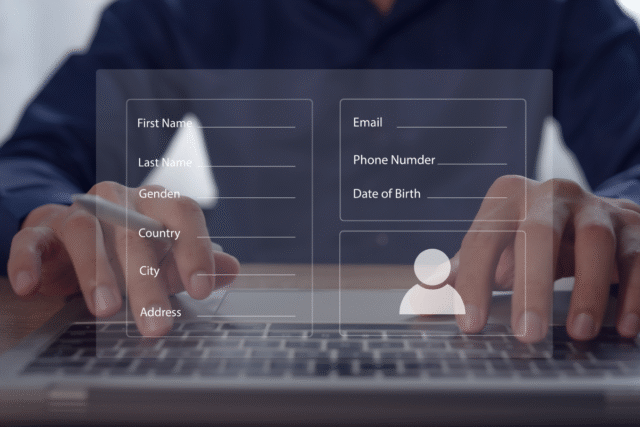
“Marketing is no longer about the stuff that you make, but about the stories you tell.” — Seth Godin
Generic emails scream spam. Personalized emails, on the other hand, feel genuine and trustworthy.
How to personalize:
- Use the recipient’s name in the subject line and body.
- Segment your list by behavior, demographics, or preferences.
- Tailor content to match the recipient’s interests.
Tool Recommendation:
HubSpot – Helps with segmentation and personalization at scale.
Step 5: Optimize Your Subject Lines
Your subject line is the first thing recipients see. Make it compelling, but avoid looking like clickbait.
Best practices for subject lines:
- Keep it under 50 characters.
- Avoid excessive capitalization and punctuation.
- Clearly convey the email’s value.
Example:
✅ “Exclusive Offer Just for You”
❌ “ACTFAST!!!LIMITEDTIMEACT FAST!!! LIMITED TIMEACTFAST!!!LIMITEDTIME”
Step 6: Maintain a Good Sender Reputation
Your sender reputation is like a credit score for your domain. A bad score increases the likelihood of your emails being flagged as spam.
How to protect your reputation:
- Keep bounce rates below 2%.
- Ensure at least 15% of recipients open your emails.
- Avoid being marked as spam by sending relevant, high-quality content.
Tool Recommendation:
SenderScore – Monitors your domain’s reputation and provides actionable insights.
Step 7: Include a Clear Unsubscribe Option
Paradoxically, making it easy for people to leave can boost your email performance. Why? Because frustrated recipients who can’t unsubscribe might flag your email as spam instead.
Best practices:
- Place the unsubscribe link at the bottom of your email.
- Make it visible and easy to use.
Step 8: Balance Text and Images
Emails with too many images or too much text can appear spammy. Strive for balance.
Tips for design:
- Use a 60:40 ratio (60% text, 40% images).
- Add alt text to all images for accessibility.
- Avoid using one large image as the entire email.
Tool Recommendation:
Canva – Create professional, balanced email visuals.
Step 9: Test Before Sending
“If you fail to plan, you are planning to fail.” — Benjamin Franklin
Testing ensures your email looks great and functions correctly across all devices and email clients.
What to test:
- Display on mobile, tablet, and desktop.
- All links and CTAs.
- Grammar and spelling.
Tool Recommendation:
Litmus – Provides detailed previews of how your email appears across platforms.
Step 10: Monitor Your Performance
The work doesn’t end after you hit send. Track and analyze your campaign’s performance to continually improve.
Metrics to monitor:
- Open rates: How many recipients opened your email?
- Click-through rates: How many clicked on your links?
- Spam complaints: How many flagged your email as spam?
Tool Recommendation:
Google Analytics – Track traffic and conversions generated by your emails.
Conclusion: Your Path to the Inbox
“Success is not final, failure is not fatal: It is the courage to continue that counts.” — Winston Churchill
Email marketing is an art and a science. By following these 10 steps, you’ll not only avoid the dreaded spam folder but also create campaigns that engage, inspire, and convert.
Remember, email isn’t just about selling—it’s about building relationships. Stay consistent, stay authentic, and your emails will always find their way to the inbox.

What’s your top tip for avoiding the spam folder? Share this article and start the conversation! 🚀

5 comments
Extremely useful guide! Love how it blends technical know-how with practical tools—especially the focus on trust and authenticity. A must-read for anyone serious about email marketing that actually works.
This is a super practical guide for improving email deliverability! Loved the mix of tools, tips, and real-world advice—especially the focus on personalization and sender reputation.
Great insights here! I especially like the emphasis on building a quality email list and avoiding spam trigger words. Personalization really does make a huge difference in making emails feel more genuine and engaging.
This guide is super helpful for anyone looking to improve their email marketing strategy. The tips on building a quality list and email authentication are spot on—so often overlooked! I love how it focuses on creating trust with both people and email providers, not just avoiding the spam folder.
Such a solid guide on email marketing! It’s so easy to overlook the technical side, but email authentication and cleaning your list are essential steps for building trust. Personalizing emails not only avoids the spam folder but also boosts engagement, making every message feel more relevant and meaningful.